1. What Is a Website SEO Audit?
A website SEO audit is a complete review of your website’s technical setup, content quality, keyword usage, page structure, user experience, and overall search performance.
The goal is to identify problems that may prevent search engines and users from understanding your website properly.
A good SEO audit usually reviews:
- Technical SEO issues
- Website speed and performance
- Mobile responsiveness
- Indexing and crawlability
- Page titles and meta descriptions
- Heading structure
- Keyword optimization
- Internal links and broken links
- Image optimization
- User experience and navigation
By analyzing these areas, businesses can build a clear improvement plan instead of making random SEO changes without direction.

2. Why Your Business Needs a Website SEO Audit
Many websites look professional on the surface but still perform poorly on search engines. The reasons may come from slow loading speed, missing meta tags, poor content structure, broken links, weak keyword targeting, or pages that are difficult for Google to crawl.
A website SEO audit helps you find these hidden issues.
It allows your business to:
- Understand the current health of your website
- Discover technical problems affecting search visibility
- Improve page speed and mobile experience
- Optimize content for the right keywords
- Improve user experience and conversion flow
- Build a stronger SEO strategy based on real data
Without a proper audit, it is difficult to know whether your website problem comes from technical SEO, content quality, website structure, or user experience.
3. Technical SEO Audit: Build a Strong Foundation
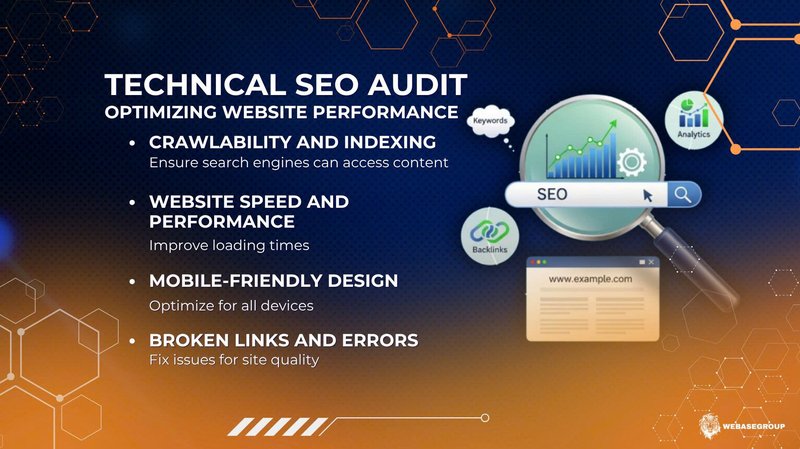
Technical SEO is the foundation of website performance. If search engines cannot crawl, index, or understand your website correctly, your content may not rank well even if it is well-written.
During a technical SEO audit, you should review the following areas.
Crawlability and Indexing
Search engines need to access and understand your website pages. You should check whether your sitemap is properly submitted, your robots.txt file is configured correctly, and important pages are not accidentally blocked from indexing.
Website Speed and Core Performance
Page speed affects both user experience and search performance. A slow website can increase bounce rate and reduce conversions.
Common issues include:
- Large image files
- Too many scripts
- Poor server response time
- Unoptimized CSS or JavaScript
- Lack of caching
Tools such as Google PageSpeed Insights can help identify performance issues and provide improvement suggestions.
Mobile-Friendly Experience
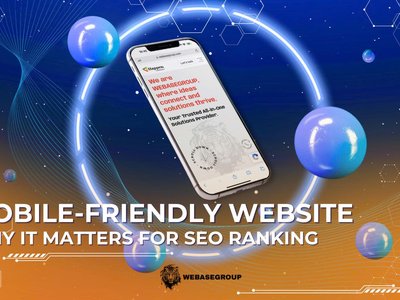
Most users now browse websites on mobile devices. Your website should display properly across different screen sizes, including smartphones and tablets.
A mobile-friendly website should have:
- Responsive layout
- Easy-to-read text
- Clear buttons
- Simple navigation
- Fast loading speed on mobile networks
Broken Links and Website Errors
Broken links, 404 pages, and server errors can hurt both SEO and user experience. They make your website feel outdated and may prevent users from reaching important content.
Fixing these issues helps improve website quality and makes it easier for search engines to crawl your site.
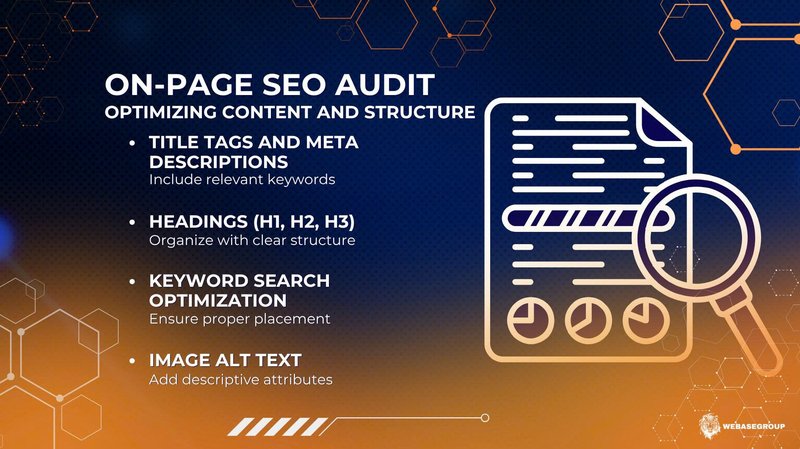
4. On-Page SEO Audit: Improve Content and Page Structure
After reviewing technical SEO, the next step is to evaluate your on-page SEO. This focuses on the elements that appear directly on your website pages.
Title Tags and Meta Descriptions
Each important page should have a unique title tag and meta description. These elements help search engines understand the topic of the page and encourage users to click from search results.
A good title should be clear, relevant, and include the main keyword naturally.
A good meta description should summarize the page value and give users a reason to visit your website.
Heading Structure
Headings help organize your content. Each page should have one clear H1 that represents the main topic. Supporting sections should use H2 and H3 headings in a logical structure.
A clear heading structure improves readability and helps search engines understand your page better.
Keyword Optimization
Keyword optimization is not about repeating the same phrase many times. It is about using the right keywords naturally in important places such as:
- Page title
- Meta description
- Headings
- First paragraph
- Body content
- Image alt text
- Internal links
The content should still sound natural and useful for human readers.
Image Alt Text
Images should include descriptive alt text. This helps search engines understand image content and improves accessibility for users who rely on screen readers.
For example, instead of using:
image1.jpg
You can write:
Website SEO audit checklist for improving search performance
This gives better context to both users and search engines.
5. Content Audit: Make Your Website More Useful
Good SEO is not only about technical settings. Your content must also answer the questions your target audience is searching for.
A content audit helps you review whether your website content is clear, helpful, updated, and aligned with user intent.
You should check:
- Does the page answer the user’s search intent?
- Is the content detailed enough?
- Are there outdated sections?
- Are important keywords missing?
- Are there duplicate or thin-content pages?
- Does the content guide users toward the next action?
High-quality content can improve search visibility, build trust, and support conversion.
For service-based businesses, content should not only explain what you offer but also show your expertise, process, and value.
6. UI/UX Audit: Improve User Experience and Conversion
SEO and user experience are closely connected. Even if users find your website through Google, they may leave quickly if the website is difficult to use.
A UI/UX audit helps identify issues that affect user engagement and conversion.
Important areas to review include:
- Navigation structure
- Button placement
- Page layout
- Content readability
- Mobile usability
- Contact form experience
- Call-to-action clarity
- Visual consistency
A user-friendly website makes it easier for visitors to understand your services, explore your content, and contact your business.
Better user experience can also support better engagement metrics, such as longer session duration and lower bounce rate.
7. How to Monitor SEO Performance After the Audit
Website SEO improvement is an ongoing process. After completing the audit and fixing key issues, you should continue monitoring performance regularly.
Key metrics to track include:
- Organic traffic
- Keyword rankings
- Click-through rate
- Indexed pages
- Page speed
- Bounce rate
- Conversion rate
- Core Web Vitals
- Search Console errors
Regular monitoring helps you understand whether your SEO improvements are working and where further optimization is needed.
SEO is not a one-time task. It requires continuous updates, testing, and improvement based on real performance data.
8. WebaseGroup: Website SEO Audit and Website Development Partner
A successful website audit should not stop at finding problems. It should turn insights into a clear action plan that helps your business improve search visibility, user experience, and website performance.
WebaseGroup provides website SEO audit and website development solutions for businesses that want to grow their online presence effectively.
Our team reviews key areas such as:
- Technical SEO
- On-page SEO
- Website speed
- Mobile responsiveness
- Content structure
- Keyword opportunities
- UI/UX improvement
- Website development quality
Based on real data and practical analysis, WebaseGroup helps businesses create a clear roadmap to improve website performance and achieve sustainable organic growth.
Whether you need a full website audit, SEO improvement plan, or website development support, WebaseGroup can help you build a stronger digital foundation.
Start Improving Your Website SEO Today
If your website is not generating enough traffic, leads, or conversions, it may be time to conduct a professional SEO audit.
Contact WebaseGroup today to get a comprehensive website SEO audit, keyword strategy, and website development solution tailored to your business goals.
Website: webasegroup.com
Email: hi@webasegroup.com
Contact: +84 90 936 22 04